What it’s for
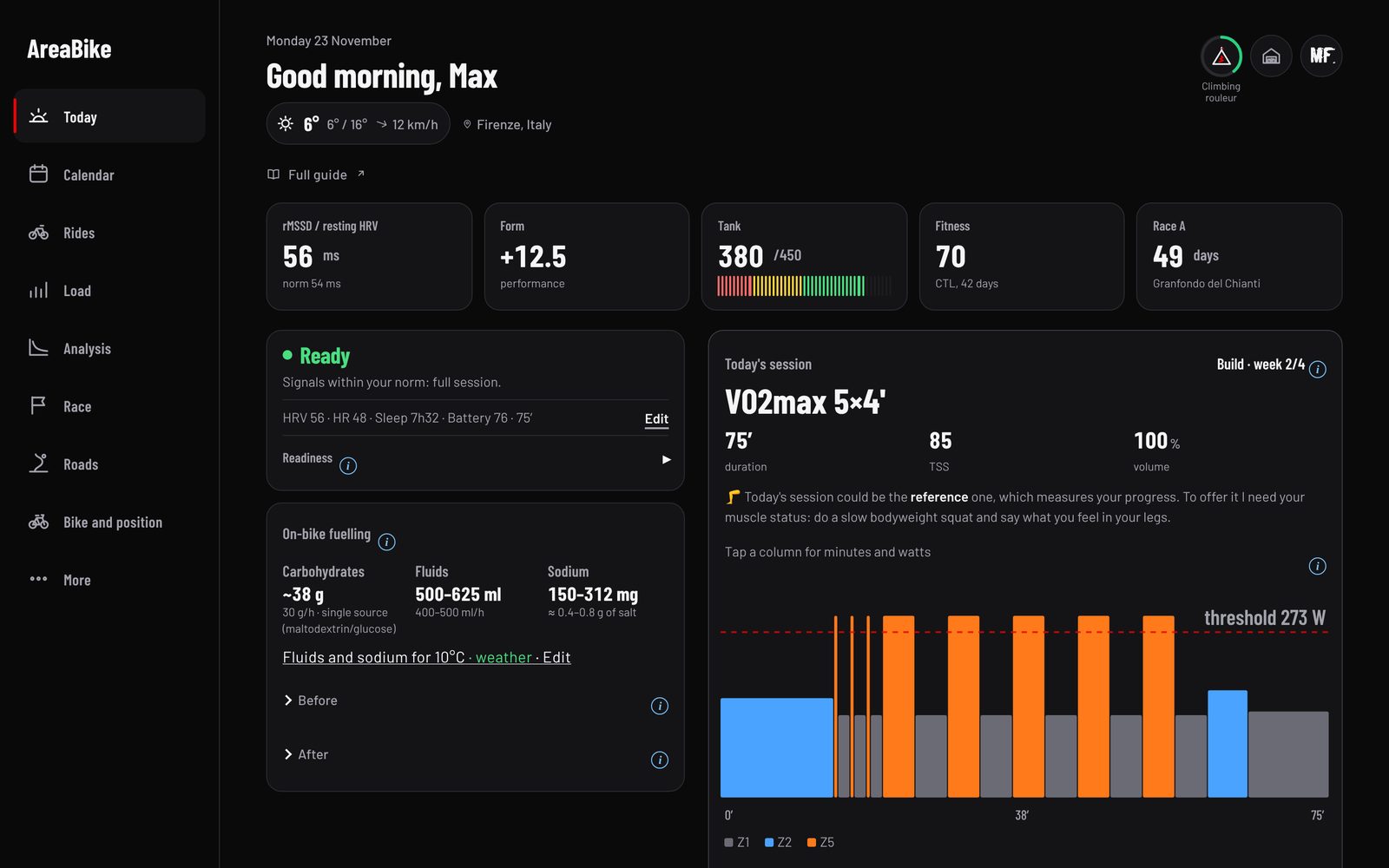
On your phone AreaBike decides the day: morning verdict, session, PostWO. On your computer you study: big charts, long periods, a single ride second by second, the race plan section by section, routes drawn on the map. It is the same AreaBike, with the same data, plus analysis tools that don’t read well on a small screen.
How to sign in
- Open areabike.area199.com in Chrome, Edge, Firefox or Safari.
- Sign in with the same email and PIN as the app (and the code, if you turned on two-step verification). No second account is needed.
- Don’t have the app yet? You can also sign up from your computer: confirm your email and the trial month starts. The trial month is one per person: phone, browser and variants of the same email don’t repeat it.
- A friend’s invitation: open their link (areabike.area199.com/?amico=CODE) before signing up, or enter the code by hand within the first month.
What’s extra on the computer
- Today and Calendar: the day as in the app and the calendar of the weeks, planned against done.
- Rides: the ride page second by second, with sections to select and the comparison with previous times of the same session.
- Load: fitness, fatigue and form over long periods, with phases, HRV, each day’s verdict, the projection up to the race and load by system against the prescribed load (Load).
- Analysis: extended power-duration curve with models, comparison by phase, fatigued curve, threshold to update, efficiency and decoupling with temperature, aerobic threshold from DFA α1, heat and acclimatisation, verdict history, feelings against results, “X against Y”, cycle and performance, rider specialty, extended report and exports (Analysis).
- Race: your profile against your race, plan by section with plan against actual, reserve in races (Goal and races).
- Roads: the map of your roads, your climbs with the predicted time, “Create your route” (Roads).
- Bike and position: CdA over time, A-B comparisons, bikes, Bikefit over time (Bike and position).
What stays on the phone
- Health Connect (Android) and Apple Health (iPhone): only the phone app reads them. Garmin, Polar, Wahoo and intervals.icu also reach the computer, because they go through the server.
- Notifications and widgets: app only.
- Strap measurement and trainer: on the computer only with Chrome or Edge (browser Bluetooth); with other browsers use the phone.
- Payment: you can’t pay from the computer for now. Subscribe in the app (Google Play on Android, App Store on iPhone) and the subscription also applies here.
Free tier and subscription
With a subscription, and during the trial month, the whole web app is open. On the free tier you get what you get in the app (morning, goal and race, standard plan, Garage, Load read-only, trophies), plus history import and connections, which are handier on a computer; the rider specialty is free for everyone. Analysis tools show their name with “Unlock it”. You can always download your raw data; PDF and CSV of the analyses are for subscribers.
Where to get AreaBike
- Android: Google Play.
- iPhone: the app is ready and is coming to the App Store; until then you can use the web app from the iPhone’s browser or from your computer.
- Computer: areabike.area199.com.
Screen
From 1100 pixels wide the menu shows names; between 700 and 1100 pixels it turns into icons and the parts of the page stack one below the other; below 700 pixels the web app works like the phone app.