Feature of the web app on your computer (AreaBike on your computer): open areabike.area199.com with the same account as the app.
What it’s for
Knowing what kind of rider you are right now, from the powers you have actually produced. It is for viewing only: it doesn’t change the session, the verdict or the profile. You can prepare any goal, even one different from your specialty. It is free for everyone.
How it works
- From your best powers over short, medium and long durations, in W/kg and in watts, the app compares your profile with the specialties described in the literature (sprint, flat, climbing, time trial).
- The result is four circles filled as a percentage: sprinter, rouleur, climber, time triallist. Today’s name is the fullest one.
- “To discover”: if a duration lacks a real effort, the app says so. It is a hint, not a session.
- The CdA test, if you have done it, makes the flat and time-trial comparison more precise; the page says in one line whether it is there.
What you see in the web app
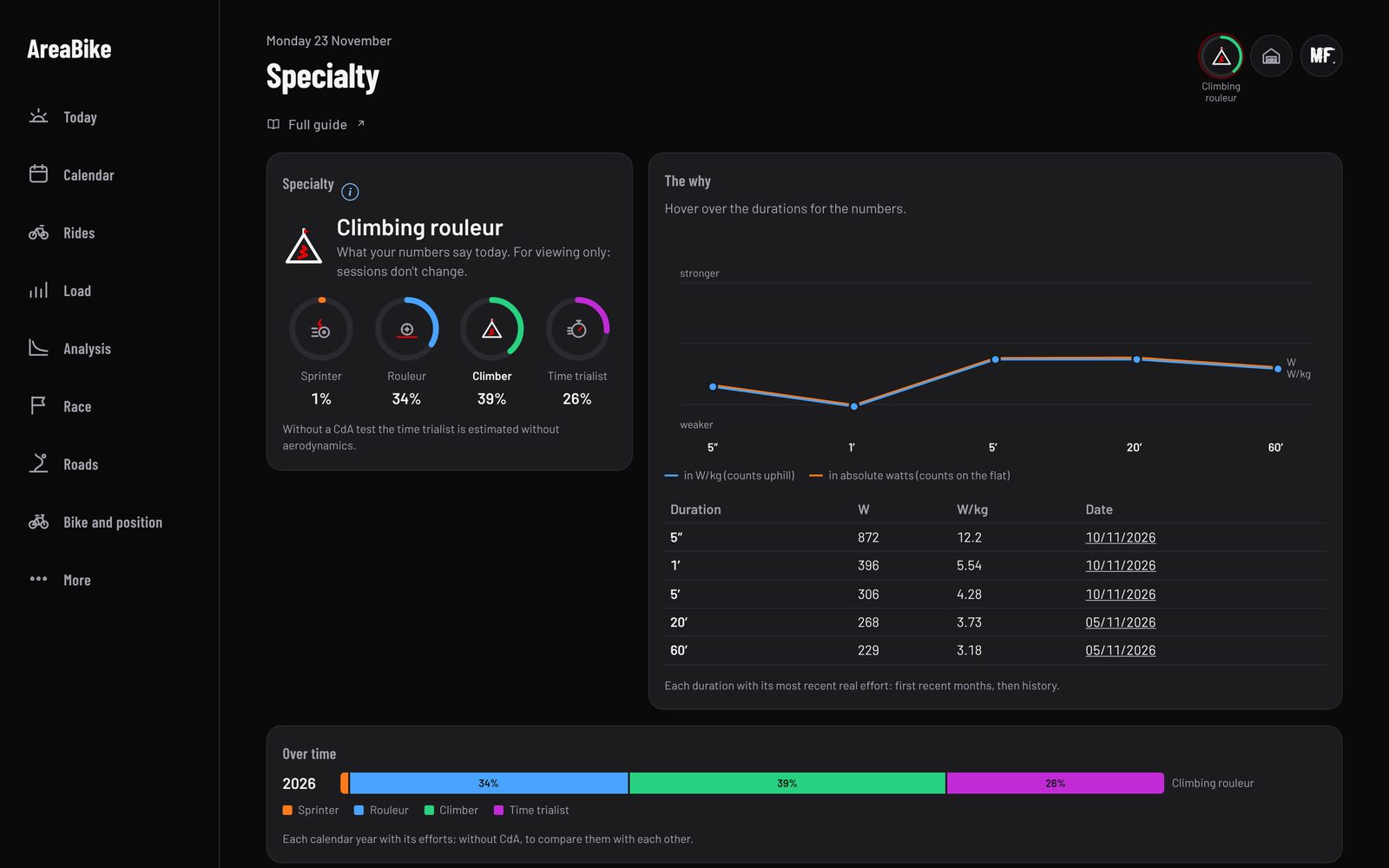
In Analysis, “Specialty”: the name with its icon, the four circles, the why (the profile by duration and the table of the durations used with watts, W/kg and date: a click on the date opens the ride) and, below, the percentages year by year. Without enough rides, an invitation to import your history.
Video
▶ Video coming soon: Antonio Petruzzi explains this feature.Sources
The numbers are those of the “i” in the web app; tapping them opens the entry in the Bibliography.
[3] Allen H et al. 2019 · [131] Pinot J, Grappe F 2011 · [132] Padilla S et al. 1999 · [76] Puchowicz MJ et al. 2020 · [130] Morton RH 1996