Feature of the web app on your computer (AreaBike on your computer): open areabike.area199.com with the same account as the app.
What it’s for
Seeing your preparation at a glance, like the TrainingPeaks and TrainerRoad calendars: one week per row, the planned session and the one done on the same day, and how closely you followed the plan.
How it works
- At the top each week’s load, done and planned.
- One row per week (Monday to Sunday): on each day the planned and the completed session, coloured by adherence, the same judgement as PostWO.
- On the right the week column: TSS done and planned, time in the saddle, fitness and form at the end of Sunday.
- The future plan is the engine’s: the same as the simulation and Load. Nothing new is decided here.
What you see in the web app
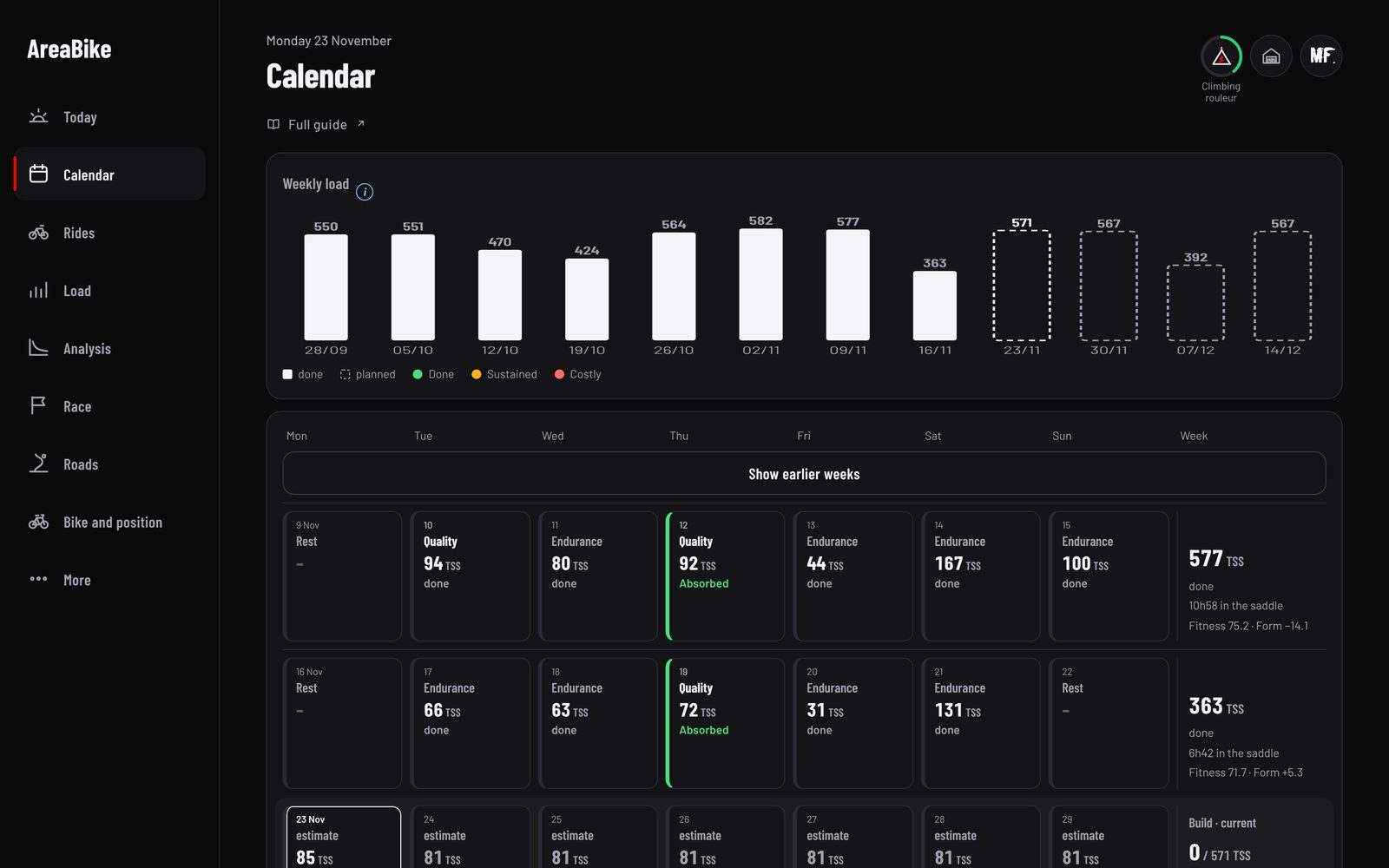
The “Calendar” menu item. A click on a day opens the detail; in the current week you can change the day’s minutes, as in the Today strip. On completed days “Open the ride” goes to the ride page; for rides recorded before the web app the detail says the chart isn’t there. You also get here from Roads, Materials and “X against Y” with “Open the day”.
Video
▶ Video coming soon: Antonio Petruzzi explains this feature.Sources
The numbers are those of the “i” in the web app; tapping them opens the entry in the Bibliography.
[77] Stanley J et al. 2013 · [78] Foster C 1998 · [25] Seiler S 2010 · [52] Spragg J et al. 2023 · [21] Morton RH et al. 1990 · [3] Allen H et al. 2019 · [24] Bosquet L et al. 2007 · [80] Mujika I, Padilla S 2003 · [81] Hellard P et al. 2006