What it’s for
You browse your logged days, review each session and correct a wrong measurement. Correcting matters: a wrong measurement doesn’t affect just one day, it enters your 60-day norm and shifts it until you correct it.
How it works
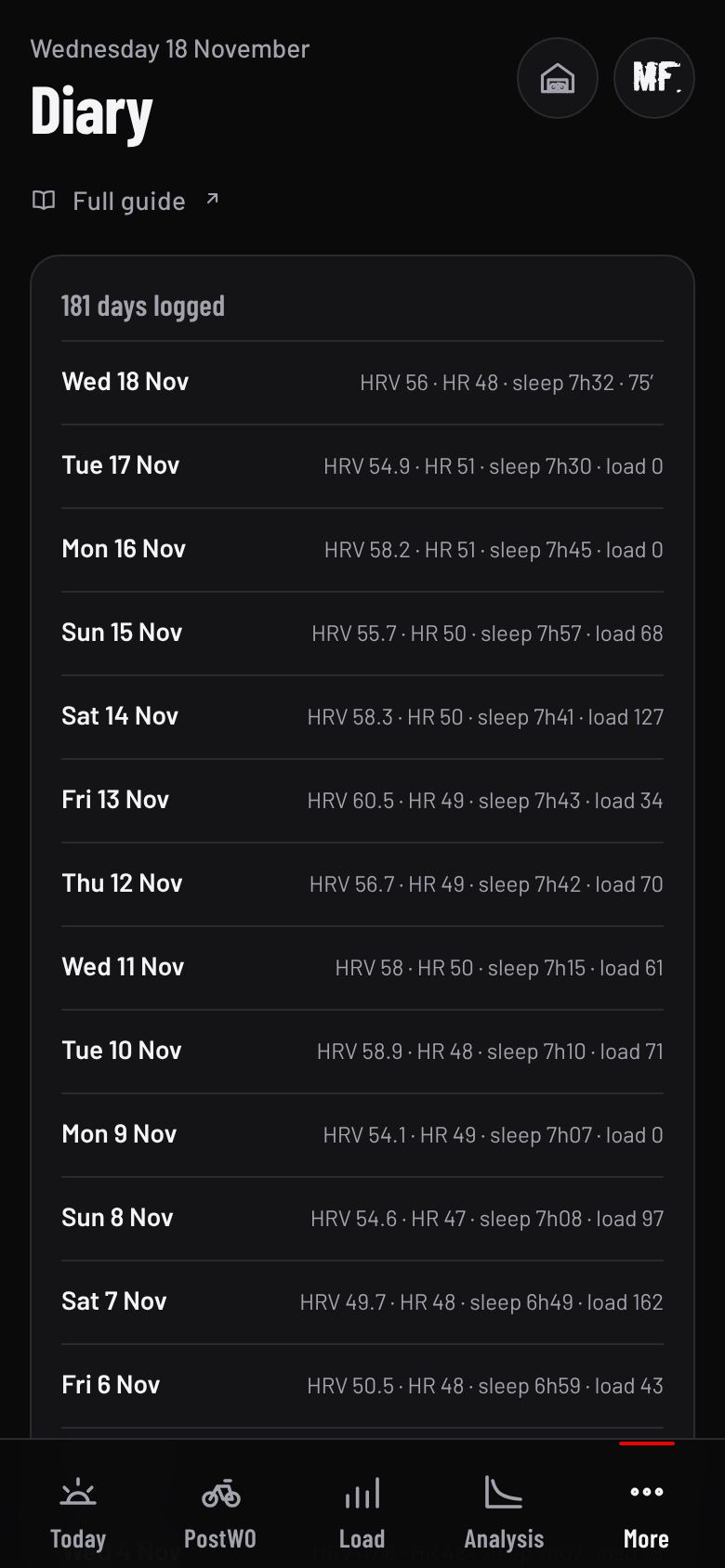
- Each day is one line: HRV, resting heart rate, sleep and load. With two sessions on the same day, the load of the second adds to the first and the second has its own “Session 2” tab, also when it comes from imports (several rides are added together). Next to the load, the tag “HR” or “RPE” means it was estimated without power, from heart rate or from perceived exertion.
- Opening a day you see the training (TSS done, NP, average and max heart rate, planned TSS, perceived exertion), the same “Session analysis” as in PostWO, the day’s readiness with the signals used and the squat line the session was calculated with (“default” or “declared at…”).
- Then the “Training plan”: name, duration, TSS, mesocycle week and volume, the zone profile, the blocks, the DS comment and the DS review, if you asked for it. On rest days a line says whether a plan had been proposed and not ridden.
- Corrections go both to the phone and to the archive, where the engine reads them again. Clearing a field deletes the measurement: it is for removing a value entered by mistake, which is different from correcting it.
- Without being signed in, corrections would stay on the phone only: the app says so and asks you to sign in from the Profile.
What you see in the app
From More → “Diary”: at the top how many days you have logged, then the list from the most recent, 30 days at a time (“Show 30 more days”). One tap opens the day; at the bottom, “Correct measurements” with the fields HRV (rMSSD), resting HR, overnight HRV, average overnight HR, sleep, Body Battery, session duration, normalized power, load done and average HR, and the “Save corrections” button. From the day you can also share the session.
How to do it
- Open More → “Diary” and tap the day to fix.
- In “Correct measurements” enter the right value, or clear the field to delete it.
- Tap “Save corrections”: your personal norm and load are recalculated with the new value.
- If the phone is empty (new phone, app reinstalled) tap “Download the diary”; “Reload from the archive” reads the days again.
Video
▶ Video coming soon: Antonio Petruzzi explains this feature.Sources
The numbers are those of the “i” in the app; tapping them opens the entry in the Bibliography.
[1] Coyle EF, González-Alonso J 2001 · [3] Allen H et al. 2019 · [21] Morton RH et al. 1990 · [85] Foster C et al. 2001