What it’s for
You connect your device once and workouts and overnight measurements arrive by themselves. Usually one connection is enough.
How it works
- Garmin: rides arrive in PostWO after every sync and are logged and analysed automatically, with the “Session analysed” notification; sleep, overnight HRV, the recovery score (Body Battery) and breathing rate fill in the morning; the morning Health Snapshot gives HRV and resting HR. From “Send to bike computer” the session goes to your Garmin Connect calendar. Past rides don’t come through the connection: you upload the archive once in Import.
- Polar: rides synced to Polar Flow; sleep, HRV and average overnight HR.
- Wahoo: rides, as soon as the bike computer uploads them: they are logged and analysed automatically, with the “Session analysed” notification.
- intervals.icu: rides, weight, sleep, HRV and average overnight HR; it sends the session to your bike computer. It also bridges Zwift, COROS, Suunto, Oura and WHOOP.
- Health Connect (Android): rides (no power), weight, sleep, HRV and average overnight HR. Oura and WHOOP come through here: turn on sharing in their app.
- Bluetooth HR strap, the alternative: we recommend a watch, ring or band worn overnight too, so your data arrives automatically. Without one, in Today, “Measure with the strap”: right after waking, seated and still, 15 seconds to settle and 75 of heartbeats; you get HRV and resting HR. Any strap that sends RR intervals in the standard Bluetooth format works.
- By hand: you type the morning values yourself and upload the ride file in PostWO.
- Coming soon: COROS, Suunto and TrainingPeaks, in grey. Meanwhile their rides come through intervals.icu or as files from Import.
- Strava doesn’t allow other apps to read rides: for your history you upload its archive.
Every value is saved with its source and your norm is kept per source: a value typed by hand doesn’t spoil the device’s one. The app chooses the source of each marker: the first connected device that really measures it. Data received from Garmin never goes to artificial intelligence: with that data there’s no DS commentary.
What you see in the app
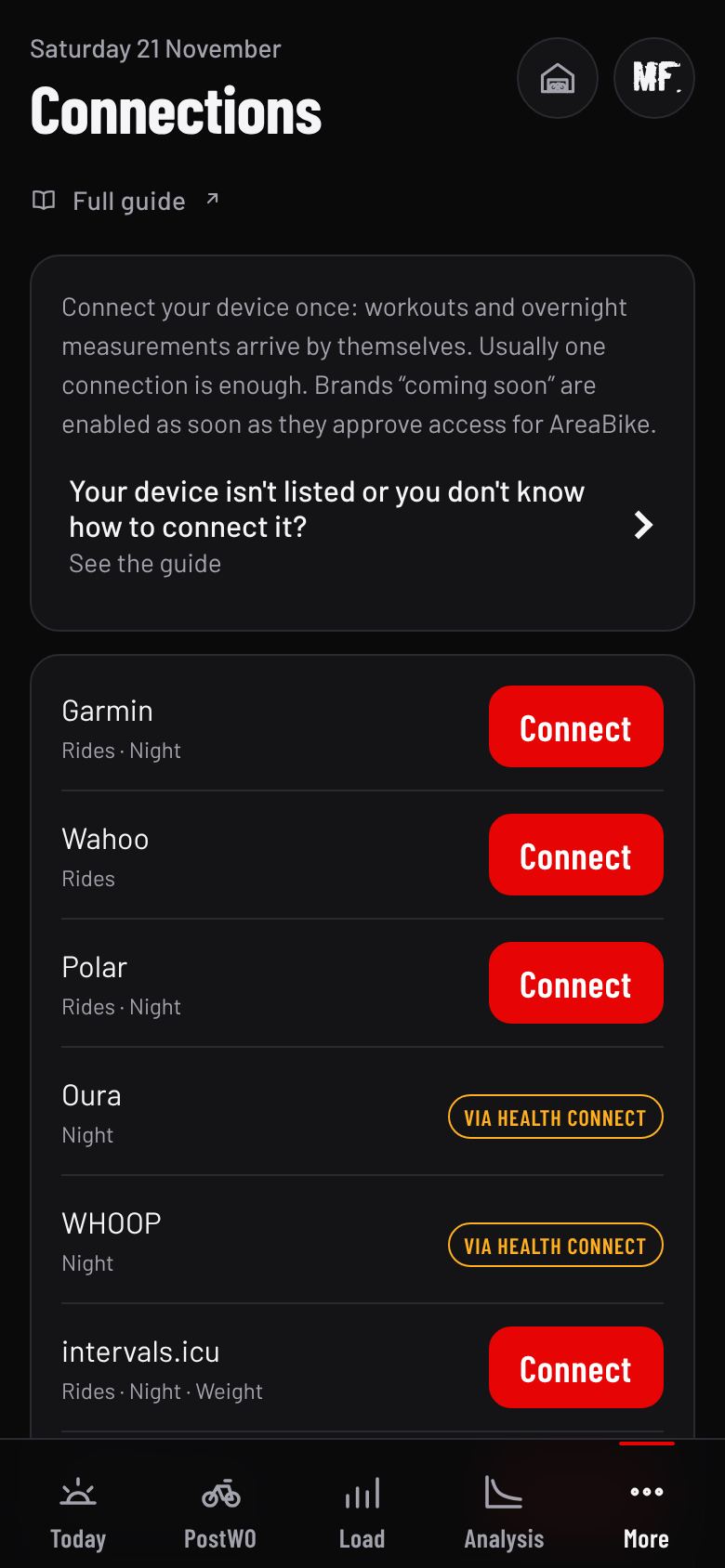
In More → “Connections” a single list, one row per brand: connected ones first, then those to connect, then those “Coming soon”, in grey; the Strava and Garmin archive always at the bottom, with “Import”. Next to each brand its state (“Connected”, “To connect”, “Coming soon” or “Via Health Connect”) and below, in small print, what it brings: “Rides · Night · Weight · Past rides”. Tapping a connected brand opens its box below the row. At the top, “Your device isn’t listed or you don’t know how to connect it? See the guide” leads to Connect your device. At the bottom, inside the “Where workouts come from” drop-down, the order: the same ride arrives from several places (start within 10 minutes, similar duration) and the app keeps one, the first in the list. The device first, then the collection points, then the phone; change the order with the arrows.
How to do it
- Tap “Connect” next to the source: the brand’s page opens.
- Sign in with your account and authorize AreaBike, then come back to the app: the state becomes “Connected”.
- For Health Connect tap “Connect” and allow the data; for overnight HRV also allow “Heart rate variability”.
- To disconnect Garmin, Polar or Wahoo, tap “Connected” and then “Disconnect” with the brand’s name; intervals.icu is disconnected from its own box. If the connection has expired the app says so: disconnect and connect again.