What it’s for
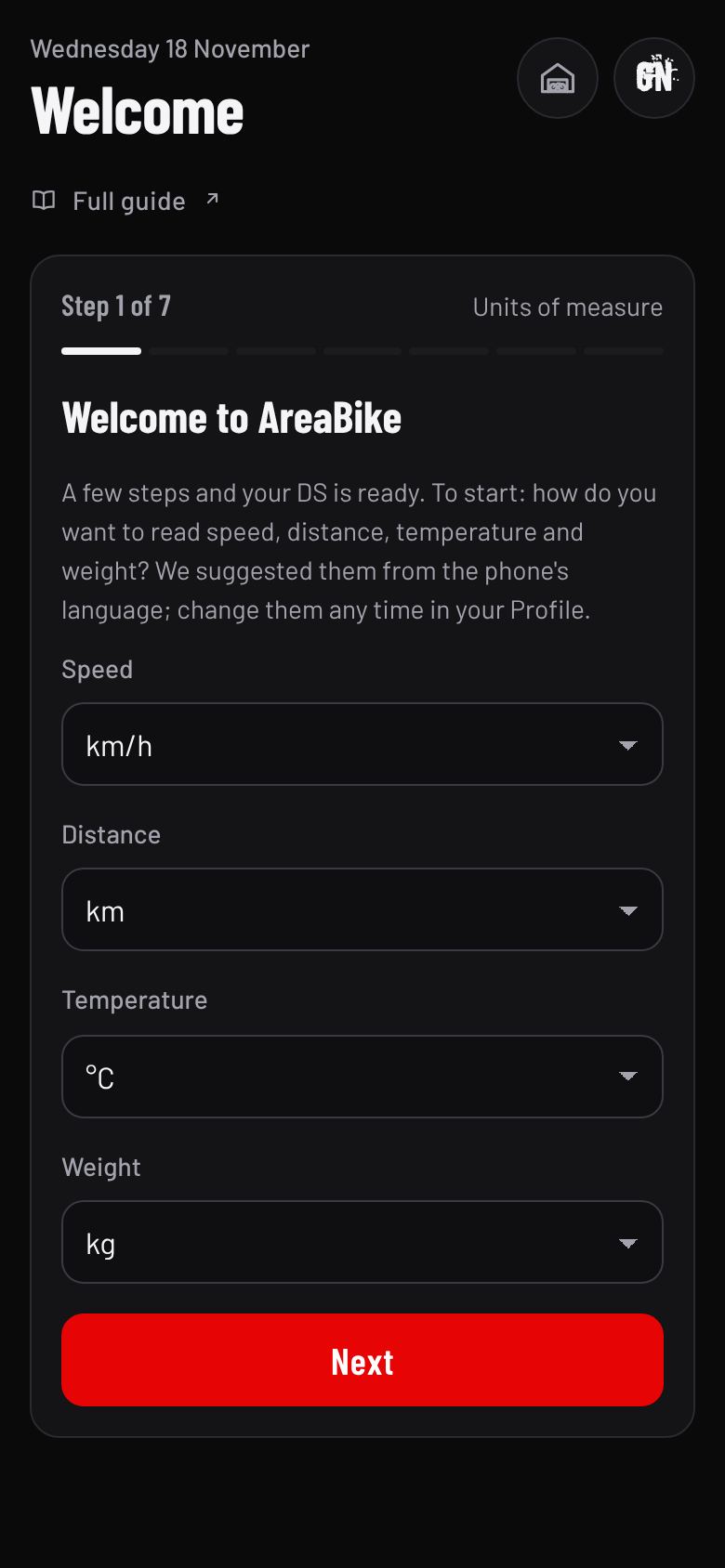
The first time you sign in, the app guides you through seven short steps, one per screen, with a progress bar. At the end your DS has what it needs for your first session.
How it works
Before the steps, the consent screen opens (terms, privacy notice, health data): each choice is recorded with version and date. Then:
- Units of measure: speed, distance, temperature and weight, proposed from your phone’s language.
- About you: first name, last name, sex, date of birth, height, weight. First name, last name and weight are needed to go on: the grams of carbohydrates and protein are calculated on your weight.
- How you ride: type of cycling (road and gran fondo, time trial, MTB XCO, MTB Marathon and others), goal (“Performance”, “Watts per kilo”, “Stay fit”) and what you ride with (“Power meter”, “HR strap”, “Feel only (RPE)”).
- Your thresholds: “I’ll import my rides” (recommended: at the last step the app fills in threshold, maximum heart rate, load and rides per week by itself) or “I’ll enter them”. What you leave empty stays “to be measured”: the app doesn’t make it up. Without a threshold it proposes a test or an endurance ride guided by bpm.
- Recovery: “The load of your rides” is always on. With “Test your device” the app looks at what arrived over the last nights and proposes the markers; you can also pick them by hand or skip. No highly reliable marker is required. Here the profile is saved (“Save and continue”).
- Your week, optional: the minutes you usually have each day (see Your real week).
- Your rides: automatically (recommended) by connecting a service, or from the ZIP archive that Garmin Connect or Strava email you, to upload in Import your rides.
What you see in the app
At the top “Step n of 7”, at the bottom “Back” and “Next”. If something is missing to go on, a line tells you what. At the last step “I’ll do it later, enter” (or “Done, enter” if your history is already there): the history can wait and More reminds you what is missing. Once the start is over, What AreaBike can do opens once.
How to do it
- Accept the consents and follow the steps with “Next”.
- At the “Recovery” step tap “Test your device” if you have a watch, ring or band already connected; otherwise choose later from the Profile.
- At the last step connect intervals.icu or another service, or upload the archive: with your history the DS knows your load, best powers and threshold right away.
Video
▶ Video coming soon: Antonio Petruzzi explains this feature.Sources
The numbers are those of the “i” in the app; tapping them opens the entry in the Bibliography.
[13] Plews DJ et al. 2013 · [14] Buchheit M 2014 · [49] Tanaka H et al. 2001 · [113] Swain DP, Leutholtz BC 1997